
Wrike Integration
Setup steps:
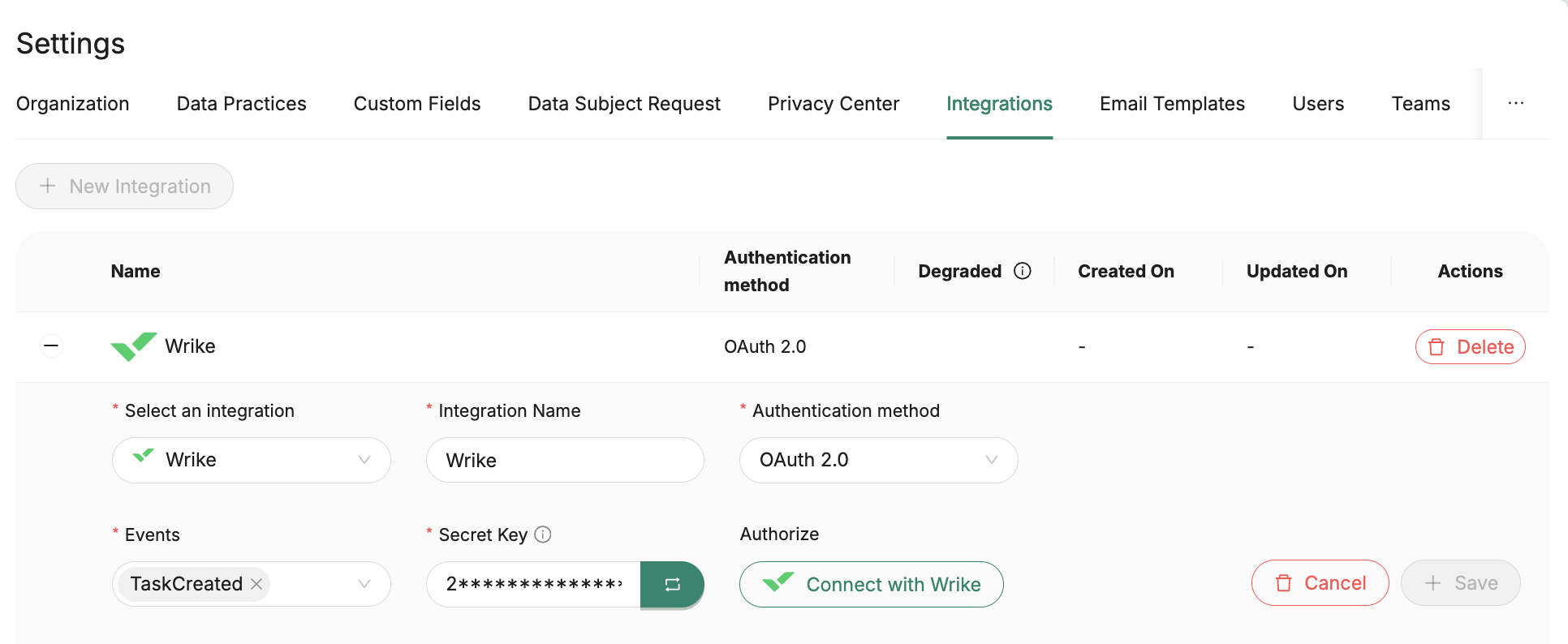
- Settings → Integrations → + New Integration
- Select Wrike and give it a name
- Select the Wrike events you want to subscribe to as part of the setup. Full list of events: https://developers.wrike.com/webhooks/#event-types
- Generate a Secret Key and save it. It shall be used as query parameter (secret_key) on webhooks requests.
- Choose OAuth 2.0 and click Connect with Wrike
- If connection was successful, proceed to save the integration.
Once the integration is created you can start using it in workflows. When you’ve set up the integration, please let me know and share one example use case you’d like to test and we’ll help build the workflow and validate everything.