
Using the API Trigger in DSR Workflows
Overview
The API Trigger lets you start a DSR workflow in TrustWorks programmatically when a DSR is created through the API, without manual intervention.
When to use the API Trigger
Use it when you will create DSRs from systems outside the TrustWorks web app, such as CRMs, ticketing tools, custom portals, or backend services.
Prerequisites: API trigger and auth
-
In your DSR workflow, add an API Trigger action.
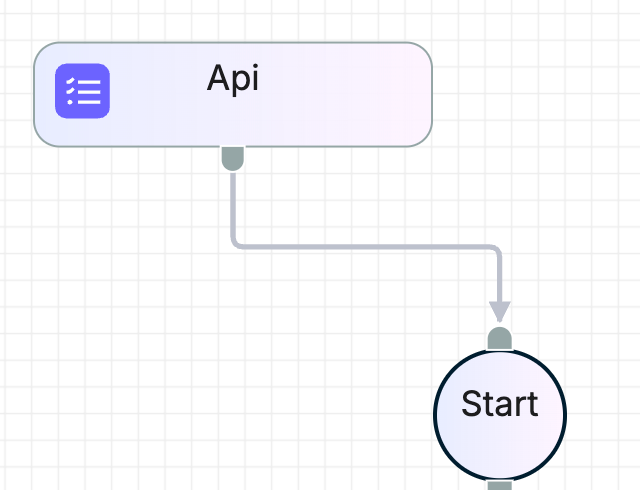
Api Trigger - Authenticate your request with an API key.
- Include an
Originheader that matches an approved origin for your tenant (for examplehttps://app.trustworks.io). Requests without a recognized Origin may fail.
Where to get your credentials
- API key: Go to Settings → Key Management, click New Key, select an owner, and create. Copy the key immediately because it will only be shown once.
Creating a DSR via API
Endpoint: POST /v1.0/dsr
Content type: multipart/form-data
Fields:
dsr(required): a string containing a JSON object with the DSR detailsfiles(optional): attachments to include with the request
DSR JSON structure
Minimum example
{
  "type": "erasure",
  "subject_attributes": [
    { "type": "email", "value": "user@example.com", "label": "email", "format": "string" }
  ],
  "category_of_individual_id": 4
}
Accepted DSR types: access , erasure , rectification , restriction , no-auto-decisions , portability , object-processing , opt-out-commercial-comm , dont-sell-share-data , limit-use , other .
Subject attributes must include type , value , and format . To discover valid type and format values, use the Subject Attributes API: GET /v1.0/dsr/configs/subject-attributes.
Optional fields you may use:
additional_information(string)tenant(string)recaptcha_token(string, if using a widget that enforces reCAPTCHA)widget_id(integer, used with widget credentials. Include only when authenticating with a widget token. Not required for API key or end-user token.)
Category of individual IDs
These IDs are system standard:
| ID | Category |
|---|---|
| 1 | Customer |
| 4 | Prospect |
| 5 | Provider |
| 6 | Visitor (office) |
| 7 | Visitor (online) |
| 8 | Candidate |
If you have custom category of individuals, you can find the ID by going to Settings > Data Practices > Category of Individuals, expanding the relevant entry, and copying the ID shown there.

Which DSR workflow runs
A DSR created via the API will trigger the workflow(s) that match its DSR type and Category of individual. Make sure these two fields in your API call align with the workflow you want to run.
Example
- If you send
type = "erasure"andcategory_of_individual_id = 1(Customer), TrustWorks will trigger the DSR workflow configured for Erasure + Customer. - If there is no workflow with matching type and category, nothing will run.
Curl examples
API key authentication
curl -X POST "<https://api.trustworks.io/v1.0/dsr>" \\
  -H "x-tw-api-key: <API_KEY>" \\
  -H "Origin: <https://app.trustworks.io>" \\
  --form-string 'dsr={"type":"erasure","category_of_individual_id":4,"subject_attributes":[{"type":"email","value":"user@example.com","label":"email","format":"string"}]}'
Example use cases
- Customer support intake: create a DSR from a ticket in Freshdesk, or ServiceNow, then let the workflow route approvals and fulfill the request.
- CRM or subscription events: when a user requests deletion in your app, create a DSR via API and start the workflow automatically.
- HR offboarding: create DSRs for employees or contractors leaving the company, then orchestrate deletions across HRIS and IT systems.
- Partner integrations: receive DSRs from third parties and trigger your internal workflow with audit trails and SLAs.
Troubleshooting
422 json_invalidwith “expected value at line 1 column 1”- The
dsrfield must be a string that contains valid JSON. Use--form-stringin curl and keep the JSON on one line.
- The
422with missing fields- Ensure
subject_attributesis an array and includes required keys. Includecategory_of_individual_id.
- Ensure
- Origin or context errors
- Ensure you send a recognized
Originheader (for example,https://app.trustworks.ioor your approved domain). Calls without a valid Origin may fail.
- Ensure you send a recognized
FAQ
Can I use the Batch trigger endpoint to trigger DSR workflows?
No. The Batch trigger endpoint is for other workflow types, such as surveys or data mapping.
Where do I find valid subject attribute types and formats?
Use the Subject Attributes API: GET /v1.0/dsr/configs/subject-attributes . It returns each attribute’s type and expected format .
Do I have to send files?
No. The files field is optional. Omit it if not needed.