
AI Governance
The AI Governance module in Trustworks helps organisations comply with AI regulations such as the EU AI Act, and align with frameworks like ISO/IEC 42001 and the NIST AI Risk Management Framework. Use it to keep a central record of the AI your organisation uses, assess its risk, and track the controls that apply to it.
AI Use Cases Registry
The registry is your single list of all AI use cases in the organisation. It supports identifying, documenting and assessing AI systems so you can show they meet legal and ethical requirements.

Key fields
- Name: identifies the AI use case.
- Related Object: the Asset or Initiative the use case is linked to.
- Type: for example Vendor, AI System or ML Model.
- Adopted: whether the use case is in use.
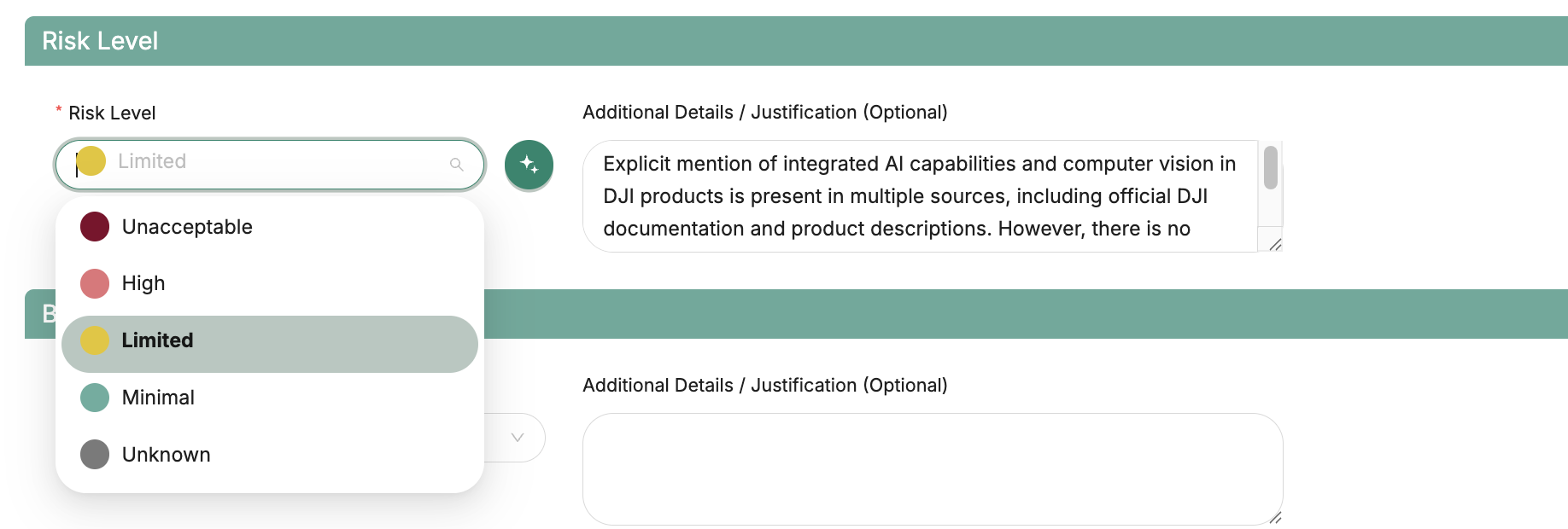
- Risk Level: Unacceptable, High, Limited or Minimal.
- Status: Draft, In Review, Approved, Rejected or Archived.
- Business Value: Low, Moderate or High.
- Owner: the person responsible for the use case.
Managing AI Use Cases
In the AI Use Cases tab, you can view a list of all AI use cases, along with their key details and statuses. Click on any use case to view more information, update its status, or add additional details.

Risk classification and associated risks
AI risk level
The Risk Level field records the use case’s classification under the EU AI Act: Unacceptable, High, Limited or Minimal. It shows how much regulatory oversight the use case needs, so high-risk systems get the attention they require.
Associated risks
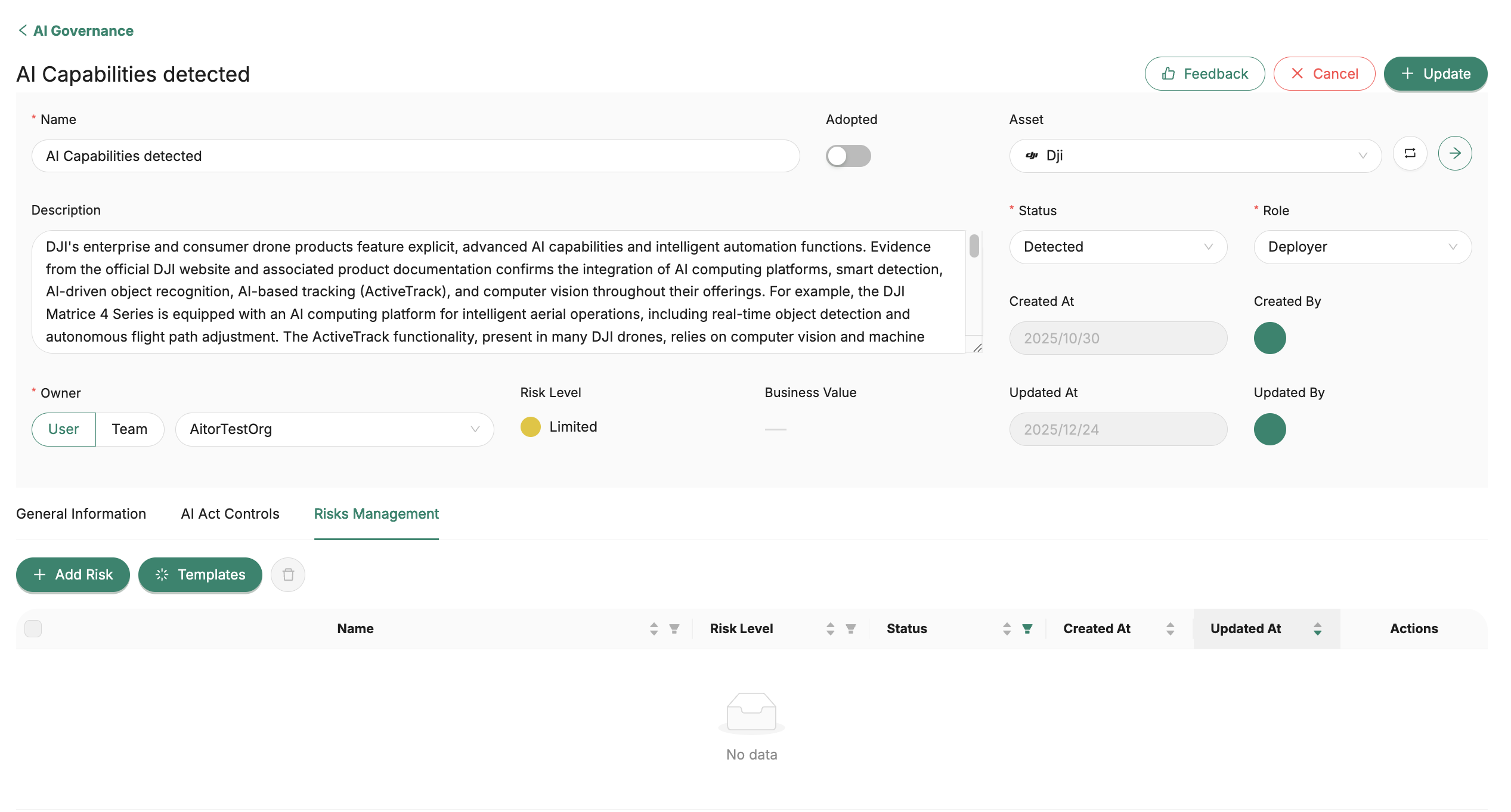
An AI use case can also have other risks linked to it, such as privacy, security or compliance risks. These are ordinary risks, the same kind you manage elsewhere in Trustworks. You can add them manually from the use case. They’re linked to the use case and also appear in the Risk Management module, where you can assess them and track mitigations like any other risk.
For more on managing risks, see Risk Management in Trustworks.
Custom fields
Admins can add custom fields to AI Use Cases, the same way as for Assets, Processing Activities, Legal Entities and Risks. Use them for the extra details your AI governance, compliance or reporting needs, such as data classification or an internal reference.
- Create fields in Settings › Custom Fields.
- Fill them in on the Additional Information tab of each AI use case.
- Filter the AI Use Cases list by custom field values with the advanced filter.
- Export: custom fields are included in the AI Use Cases XLSX export.
For more on creating and managing fields, see Custom Fields.

AI Act Controls
You can also easily track the implementation of applicable AI Act Controls.


Need help?
If you have questions about the AI Governance module, contact our support team.